From Small Homes to Enterprise Deployments
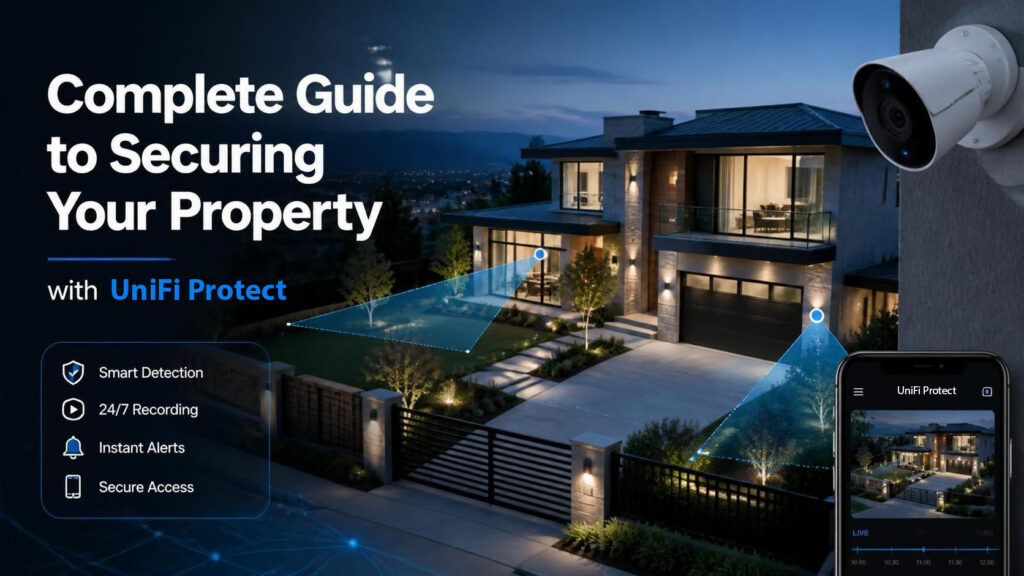
Physical security is the foundation of any comprehensive protection strategy. Whether you’re protecting a home, retail location, or enterprise facility, having the right surveillance infrastructure in place provides peace of mind, deters criminal activity, and creates a detailed record of events. This guide walks you through building a scalable security system using UniFi Protect, from small residential setups to large-scale commercial deployments.
Why Physical Security Matters in Today’s World
Physical security breaches can lead to theft, vandalism, liability issues, and safety risks. A modern surveillance system does more than record footage—it acts as a visible deterrent and provides critical evidence when incidents occur. The key is choosing a system that grows with your needs without requiring a complete overhaul.
UniFi Protect stands out because it offers enterprise-grade security at accessible price points, with a unified platform that scales seamlessly across small and large installations. The software integrates hardware, cloud services, and local storage into one cohesive system.
Understanding Your Deployment Scale
| Deployment Size | Ideal For | Recommended Hardware | Storage Needs |
|---|---|---|---|
| Small | Single homes, small offices, retail kiosks | Cloud Gateway Fiber + M.2 local storage | 500 GB–2 TB local storage |
| Medium | Multi-location businesses, medium warehouses, apartment complexes | UNVR G2 Pro | 8–16 TB encrypted local storage |
| Large/Enterprise | Multi-building campuses, large commercial facilities, data centers | Enterprise NVR + Seagate SkyHawk drives | 24–48+ TB scalable storage |
Small Deployments:
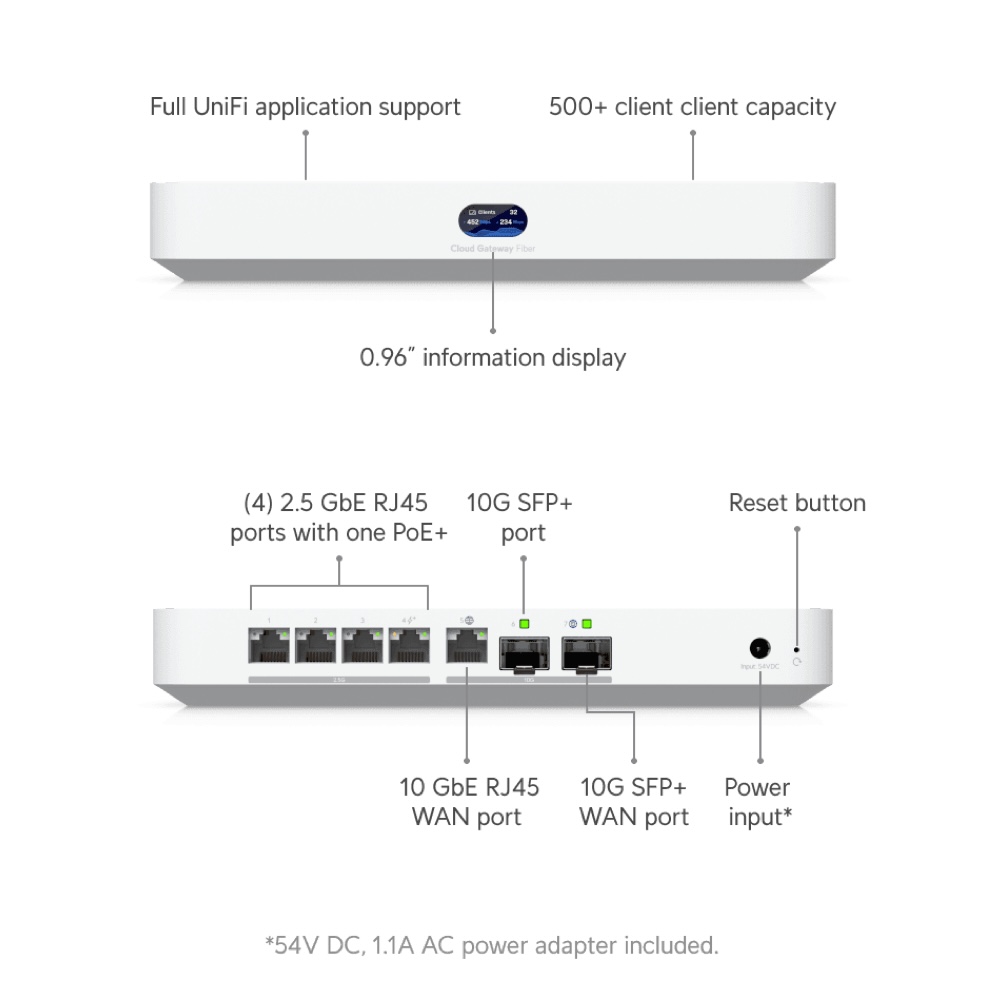
Cloud Gateway Fiber with M.2 Local Storage
The Right Tool for Compact Setups
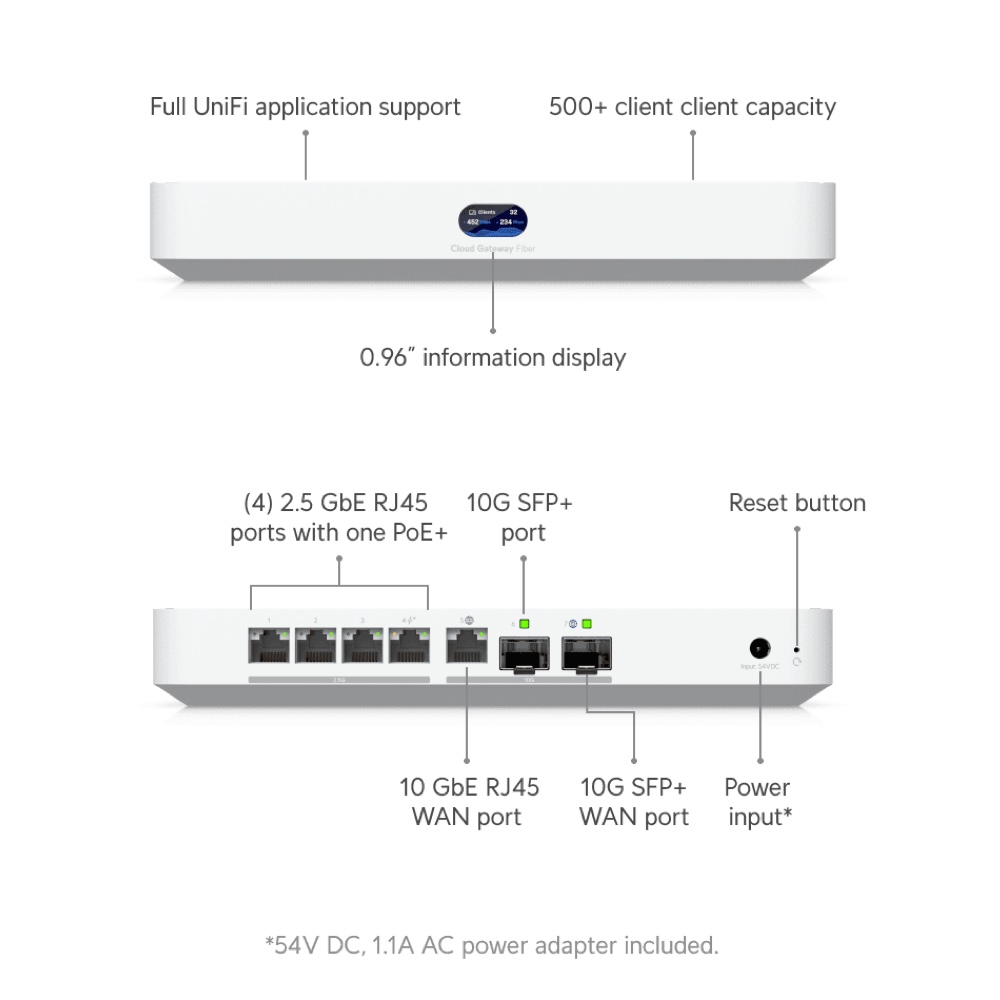
For homeowners and small business owners, the Cloud Gateway Fiber with added M.2 local storage provides an elegant solution. This approach combines cloud intelligence with local backup, ensuring your footage remains accessible even if your internet connection drops.
Why This Works for Small Deployments
- Compact footprint: The Cloud Gateway Fiber is designed to fit in tight spaces, making it ideal for small offices or residential installations.
- Hybrid storage approach: M.2 NVMe storage provides fast, local backup of your most recent footage, while cloud integration offers redundancy and remote access.
- Cost-effective scaling: You only pay for what you need; no oversized hardware taking up space or drawing unnecessary power.
- Built-in fiber connectivity: If you have fiber internet available, you’re getting symmetrical speeds for reliable uploads and downloads.
Typical Small Deployment Setup
A small business might deploy:
- 1–2 G6 Bullet or Turret cameras monitoring entry points and assets
- Cloud Gateway Fiber as the central management hub
- 512 GB–2 TB M.2 NVMe storage for 7–14 days of continuous footage
- UniFi Protect mobile app for remote monitoring
This setup costs significantly less than traditional security systems while offering superior image quality and ease of use.
Medium Deployments:
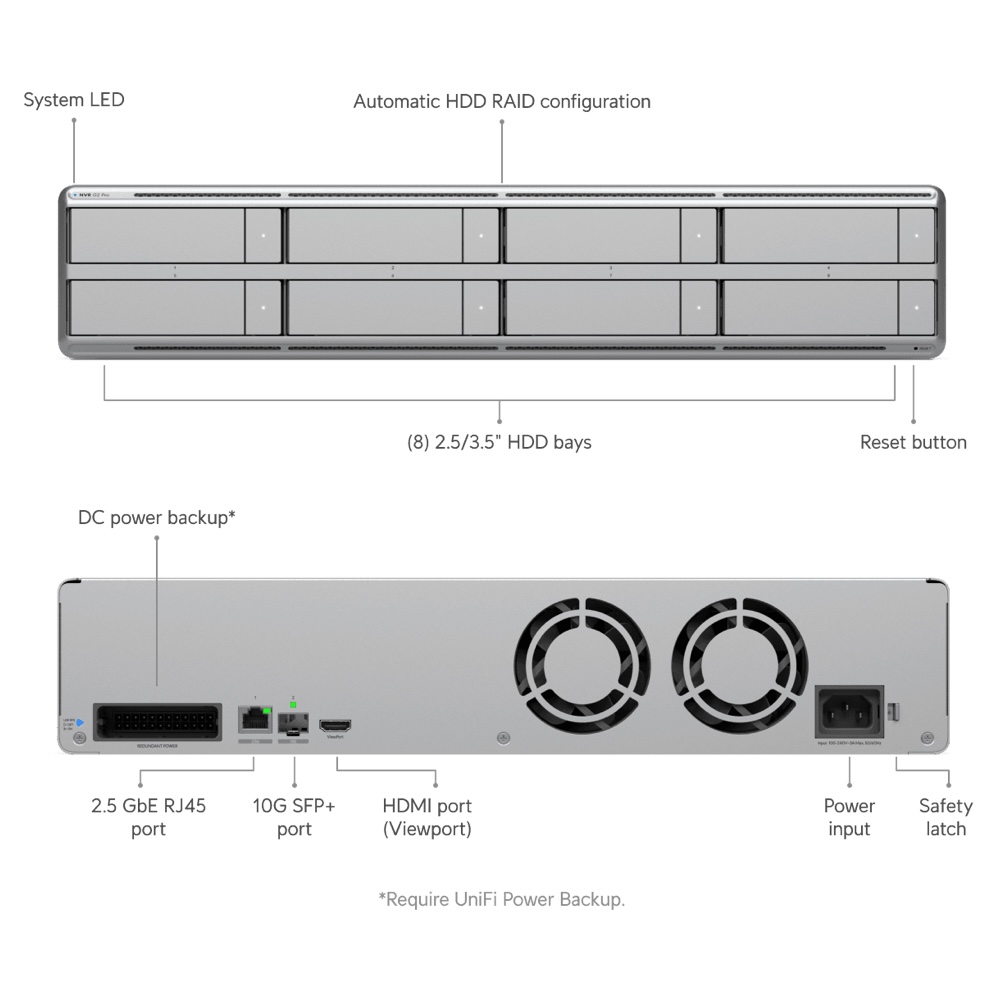
UNVR G2 Pro for Growing Security Needs
Scaling Up Without Complexity
When your security footprint expands, the UNVR G2 Pro becomes your ideal choice. It’s designed for organizations that need robust local storage, multi-camera support, and enterprise-grade reliability without the cost and complexity of the largest systems.
Key Features of the UNVR G2 Pro
- Purpose-built NVR: Unlike generic servers, the UNVR G2 Pro is optimized specifically for continuous video recording and playback.
- High-performance processing: Supports intelligent features like person/vehicle detection, license plate recognition, and custom alerts.
- Hot-swappable drive bays: Upgrade or replace storage without taking the system online.
- Advanced analytics: Built-in AI can identify suspicious behavior patterns and trigger automated responses.
- Redundant connectivity: Multiple network ports ensure your system stays online even if one connection fails.
Ideal Medium-Scale Scenarios
The UNVR G2 Pro shines in environments like:
- Multi-location retail chains (5–15 locations)
- Medium-sized warehouses or distribution centers
- Apartment complexes or multi-tenant buildings
- Corporate office headquarters
- Healthcare facilities
With 8–16 TB of Seagate SkyHawk storage, a UNVR G2 Pro can retain 30–60 days of footage from multiple cameras, depending on resolution and frame rate.
Large Deployments:
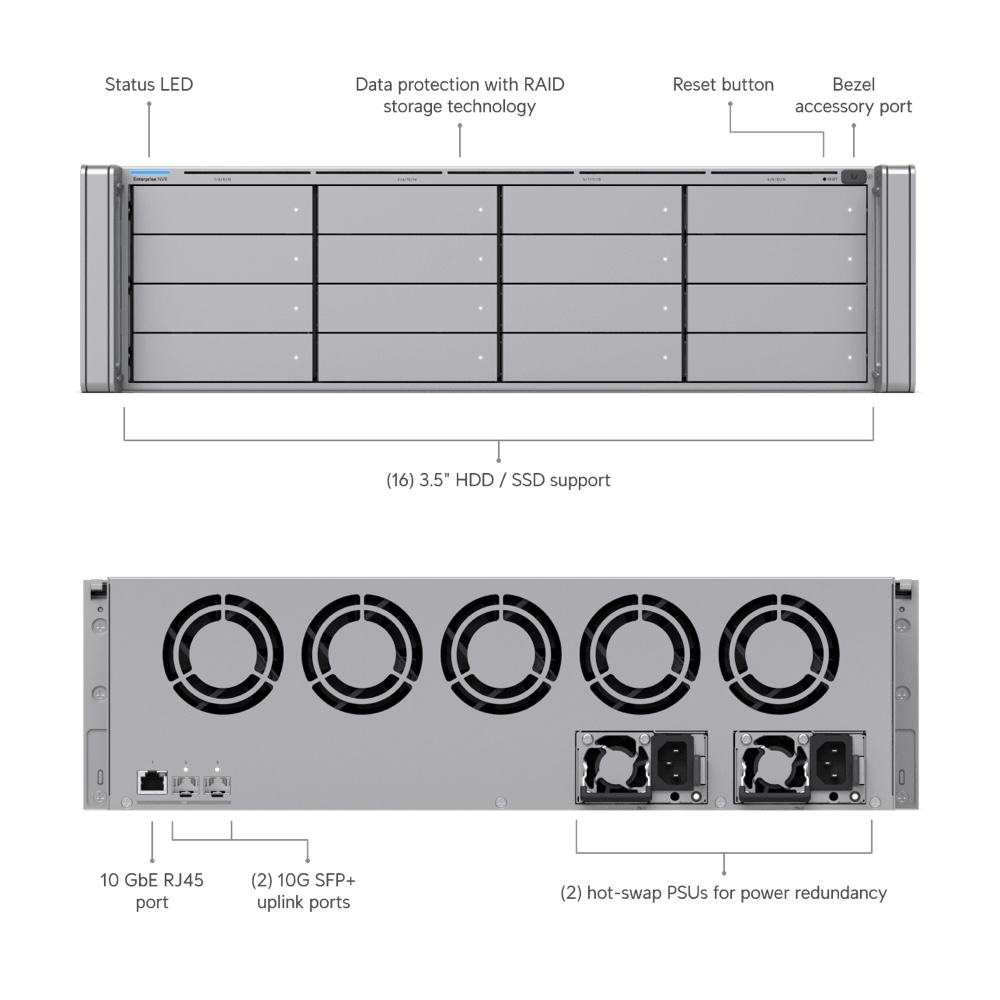
Enterprise NVR for Enterprise-Scale Security
The Gold Standard for Demanding Installations
Enterprise organizations and large facilities require a system that never compromises on capacity, speed, or reliability. The Enterprise NVR is built for exactly this purpose.
Why Choose the Enterprise NVR
- Massive storage capacity: 24–48+ TB configurations support hundreds of cameras and months of footage retention.
- Next-generation processor: Handles advanced analytics at scale without performance degradation.
- Enterprise redundancy: RAID configurations, backup power options, and failover capabilities ensure your security system is always operational.
- API-driven integration: Seamlessly connects with access control systems, alarm systems, and third-party security platforms.
- 24/7 professional support: UniFi’s enterprise support ensures any issues are resolved quickly.
Typical Large Deployment
A large enterprise might deploy:
- 50–200+ G6 Bullet and Turret cameras across multiple buildings
- One or more Enterprise NVR devices as primary recording nodes
- 48 TB of Seagate SkyHawk professional-grade storage across multiple drives
- Redundant internet connections for remote access and cloud backup
- UniFi Protect unified dashboard accessible to security teams globally
The UniFi Protect Software Platform
Your Command Center for Physical Security
UniFi Protect is the software layer that ties your entire system together. It’s not just a recorder—it’s an intelligent security management platform.
Core Capabilities
Real-Time Monitoring and Alerts
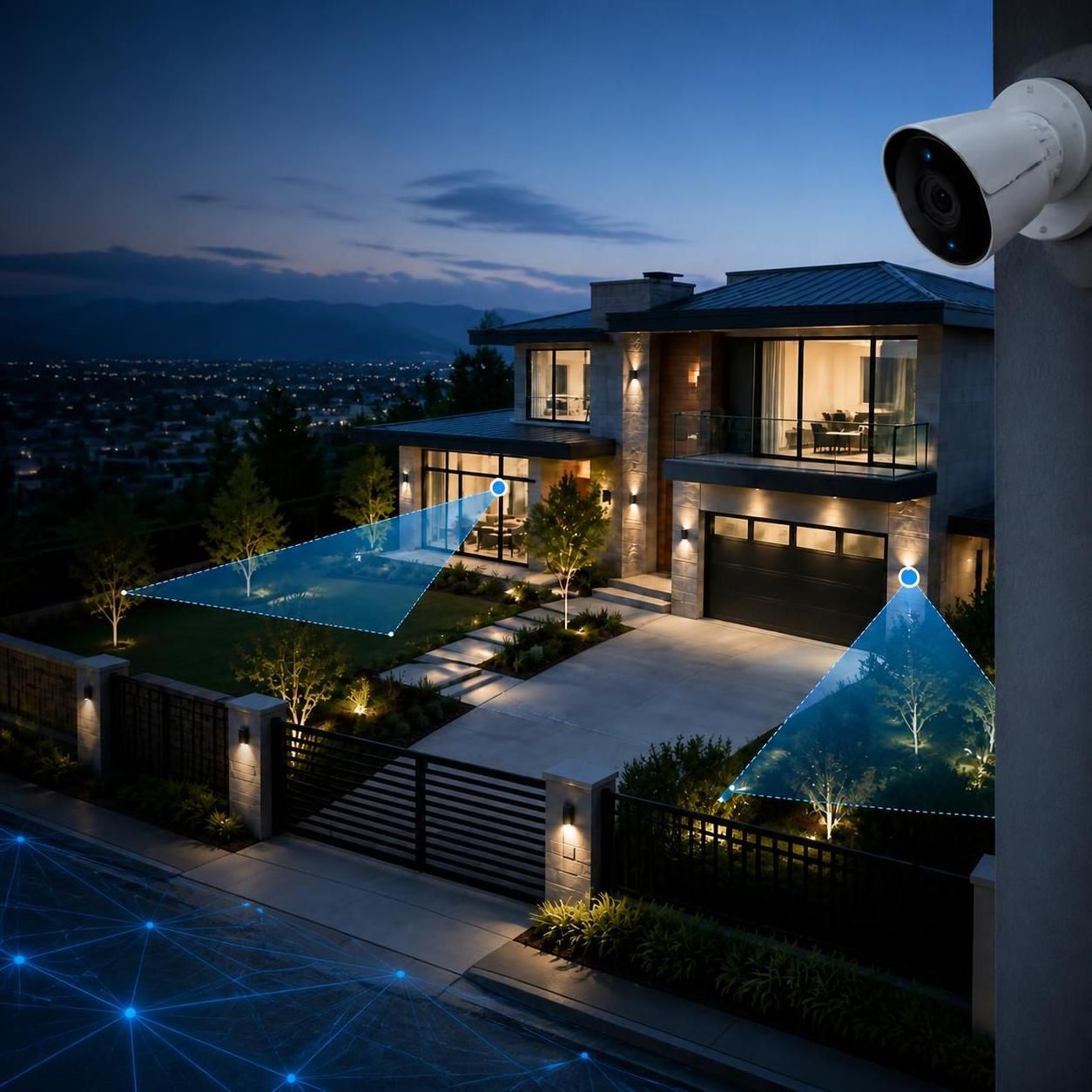
Watch live feeds from any camera, anywhere in the world through the mobile app or web interface. Set custom motion detection zones and receive instant notifications when activity is detected.
Intelligent Video Analytics
Advanced AI distinguishes between people, vehicles, and animals, reducing false alerts and helping you focus on genuine security events. You can create rules like “alert me if a person enters this zone after hours.”
Searchable Video Library
Instead of scrubbing through hours of footage, use intelligent search to find specific events by type (person detected, vehicle, etc.), time, or location.
Multi-Site Management
If you manage multiple properties, UniFi Protect allows centralized monitoring and management across all locations from a single dashboard.
Forensic Playback
When an incident occurs, the system provides tools to zoom, enhance, and export evidence in formats useful for law enforcement or insurance claims.
Choosing Your Cameras:
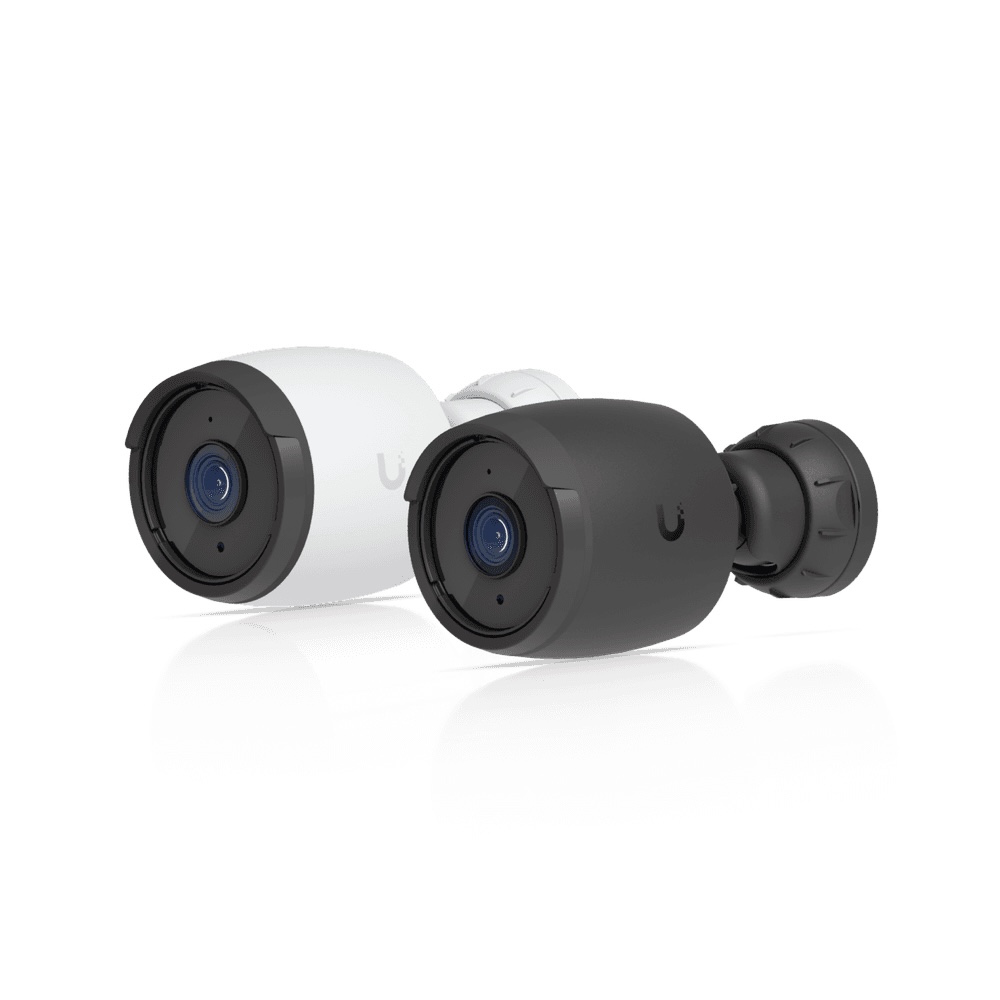
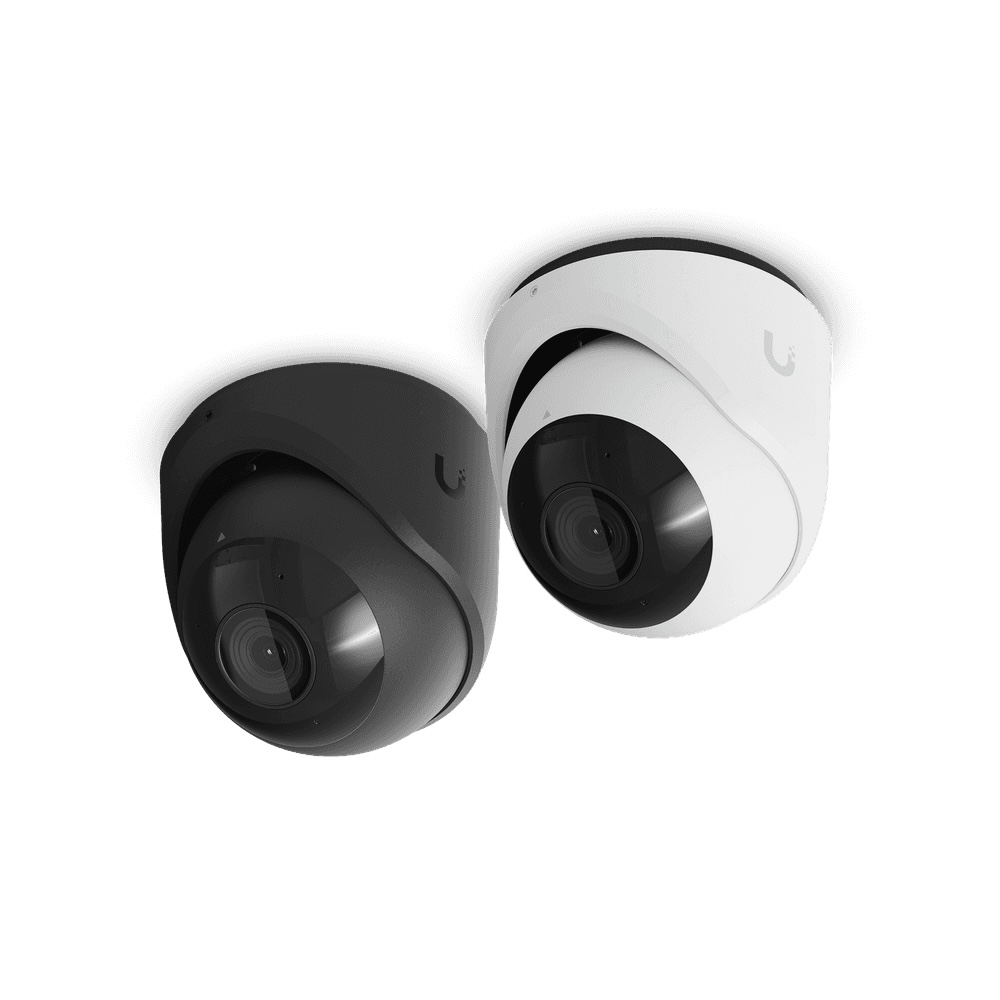
G6 Bullet and G6 Turret Models
Understanding the G6 Camera Line
UniFi’s G6 line represents the current generation of professional surveillance cameras. The choice between bullet and turret comes down to aesthetics and installation location.
| Camera Type | Best For | Advantages | Considerations |
|---|---|---|---|
| G6 Bullet | Perimeter monitoring, outdoor entries, long-distance coverage | Focused beam, weather-sealed, high-definition clarity | More visible (deterrent effect); requires mounting hardware |
| G6 Turret | Indoor monitoring, corners, general coverage | Compact, 360-degree coverage potential, discreet | Slightly less focused than bullet; ideal for flexible mounting |
Both cameras offer:
- 4K resolution for crystal-clear footage
- Advanced night vision with infrared and low-light optimization
- IP67 weather rating (G6 Bullet) for outdoor durability
- Compact power consumption (PoE-powered for easy installation)
- Deep integration with UniFi Protect for seamless analytics
Deployment Strategy
For most properties, a mixed approach works best:
- Use G6 Bullets for entry/exit points and perimeter coverage
- Use G6 Turrets for interior spaces and areas requiring flexible positioning
- Position cameras to eliminate blind spots and provide overlapping coverage in high-value areas
Storage Strategy:
Seagate SkyHawk AI Hard Drives


Why SkyHawk for Surveillance Systems
Seagate SkyHawk AI drives are engineered specifically for 24/7 continuous recording in surveillance environments. They’re not the same as consumer or even standard enterprise drives.
SkyHawk AI Advantages Over Standard Drives
Optimized for Surveillance
SkyHawk AI drives are designed to handle the constant write workload of continuous video recording. Consumer drives fail quickly under this stress; SkyHawk AI can run 24/7/365 without degradation.
Advanced Caching
SkyHawk AI drives feature ImagePerfect firmware that minimizes vibration and optimizes performance when multiple cameras feed data simultaneously.
Longer Warranty
Standard warranty covers 3 years; SkyHawk AI typically includes a 5-year warranty, reflecting their reliability in demanding applications.
Cost Per Gigabyte
While more expensive upfront than consumer drives, SkyHawk AI’s reliability means fewer replacements and less downtime—making them more cost-effective over time.
Storage Capacity Planning
| System | Typical Camera Count | Recommended Storage | Retention Period |
|---|---|---|---|
| Cloud Gateway Fiber (small) | 1–4 | 500 GB–2 TB M.2 NVMe | 7–14 days local + cloud |
| UNVR G2 Pro (medium) | 5–20 | 8–16 TB SkyHawk | 30–60 days |
| Enterprise NVR (large) | 20–200+ | 24–48+ TB SkyHawk | 90–180 days |
Pro Tip: Install drives in RAID 1 (mirrored) or RAID 6 (striped with parity) configuration to protect against drive failure. The cost of extra drives is far less than the cost of losing security footage during a critical incident.
Installation and Best Practices
Planning Your System
Before purchasing hardware, conduct a security audit:
- Map your property and identify high-value areas, entry/exit points, and blind spots.
- Determine coverage goals: Do you need 24/7 monitoring or business-hours only?
- Calculate retention needs: How long do you need to retain footage for legal/insurance purposes?
- Assess bandwidth: Confirm your internet connection can handle continuous uploads to the cloud.
- Plan for growth: Choose hardware that can expand without replacement.
Installation Best Practices
Professional Installation Recommended
While UniFi Protect is designed for ease of use, the physical installation of cameras and cabling should be handled by professionals. Proper cabling runs, weatherproofing, and camera positioning significantly impact system performance.
Network Isolation
Your security system should run on a dedicated network segment or VLAN, separate from guest WiFi and general business traffic. This prevents bandwidth contention and improves security.
Power Redundancy
Ensure your UNVR G2 Pro or Enterprise NVR has battery backup (UPS) and that PoE switches have reliable power. If the system goes down during an incident, you lose your ability to record evidence.
Regular Maintenance
- Monthly: Clean camera lenses (especially outdoor units)
- Quarterly: Check for firmware updates and apply them during maintenance windows
- Annually: Verify storage health, test remote access, and review footage quality
Conclusion: Building Your Security Foundation
Physical security is not a luxury—it’s a necessity. Whether you’re protecting a home, managing a small business, or overseeing a large enterprise, UniFi Protect provides a complete, scalable solution that grows with your needs.
Start small with the Cloud Gateway Fiber and M.2 storage if you’re just beginning, knowing you can seamlessly migrate to a UNVR G2 Pro or Enterprise NVR as your deployment expands. Pair your system with G6 Bullet and Turret cameras for clear, reliable footage, and back it all up with Seagate SkyHawk drives that you can trust to perform 24/7.
The best security system is the one you’ll actually use. UniFi Protect’s intuitive interface means your team will monitor cameras consistently, review footage quickly, and respond to incidents effectively. That’s the difference between a system that merely records and a system that actually protects.
Start your security transformation today.
Related Product Links